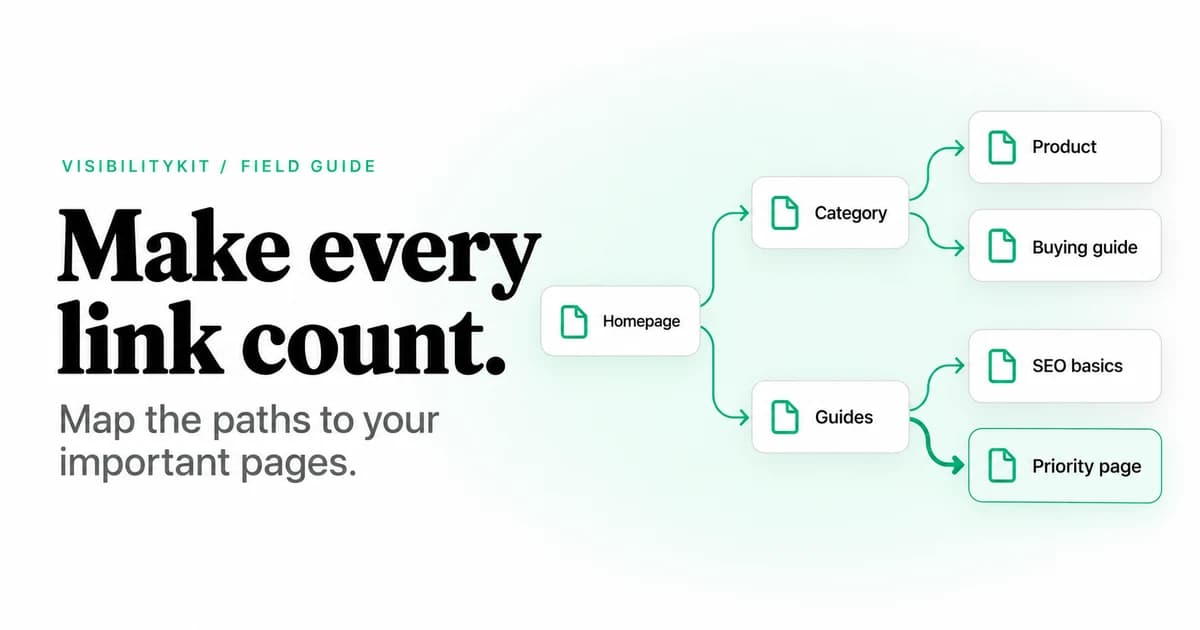
An internal linking audit checks whether the pages that matter on your website are reachable through useful links, whether those links work, and whether the surrounding context helps visitors choose the right destination. Start with a crawl, examine the source pages behind important findings, then prioritize changes by page purpose and business value.
The output should be a list of specific source-to-destination changes. “Add more internal links” is not an implementation plan. “Link the desk-lighting guide to the relevant product category in the buying section” is.
This guide includes a worked example and a downloadable internal-link audit worksheet. It also explains where crawl depth and internal PageRank help, and where they can mislead.
What an internal linking audit covers
An internal link connects pages within the website scope you are examining. Links can appear in navigation, breadcrumbs, related-content modules and the body of a page. A useful audit looks at the relationship between the source, the destination and the visitor's next task.
Check four layers:
- Access: the destination exists and the link can be followed.
- Discovery: relevant pages can be reached from the main site.
- Meaning: anchor text and placement explain why someone should visit.
- Priority: important destinations receive sensible support from related pages.
Google's link guidance describes crawlable anchor elements and useful anchor text. An audit applies that guidance to the actual structure of your site; it does not need an arbitrary links-per-page target.
Step 1: define your priority destinations
Before crawling, choose the pages whose discoverability matters most. These might be product categories, services, documentation entry points or articles that answer recurring buying questions. Record the intended action for each page.
For a store, a category page may help visitors compare a group of products. For a software business, an integration page may explain whether the product fits an existing workflow. A link should support that purpose rather than exist only to increase a count.
Keep the list small enough to review manually at first. Once the method works, apply it to additional templates. Use analytics or Search Console data as context where available, while recognizing that a newly launched page may have little history.
Step 2: collect the link graph and its limitations
Crawl from the homepage with a recorded scope. Keep the start URL, exclusions, rendering mode and crawl limits with the results. Collect at least the destination URL, response status, crawl depth and source URLs. Where available, capture the anchor text and link location.
Run an initial crawl using linked discovery so you can see which pages are reachable through the site's navigation and content. Compare it with independent URL inventories separately. Feeding every known URL into the first crawl can obscure whether a page was found through a real internal path.
A partial crawl produces a partial graph
A low inbound-link count may reflect a missed section, an excluded subdomain or links that appear only after JavaScript. Confirm coverage before using the result to redesign navigation.
If the site depends on rendering, compare representative pages in the raw response and rendered view. Record failures rather than filling missing fields with assumptions. The same configuration should be used for a meaningful before-and-after comparison.
Step 3: repair broken and redirected destinations
Start with links that fail the visitor's intended action. For every broken link, identify the source page and confirm the destination is actually unavailable. Decide whether to correct the link, restore the page or point to a relevant replacement.
Next, review internal links that reach a useful page through redirects. Where you control the source, update it to the final destination. Keep historical redirects that still serve old bookmarks or external links. The redirect-chain guide explains how to simplify those paths without discarding useful redirects.
Prioritize a broken link in a purchase or enquiry journey above an obscure reference in an old article. The number of occurrences helps estimate the repair effort, but the consequence of the failure should determine its urgency.
Step 4: find important pages with weak support
Compare priority destinations with pages of a similar type. A category page with little support may need a link from its parent category or a relevant guide. A documentation page might belong in a task-specific index.
For each candidate, inspect possible source pages manually. Ask whether the destination helps a visitor continue the task introduced by the source. If the connection requires a forced sentence or a misleading anchor, choose a better source.
Use the worksheet to specify the exact location: a section heading, paragraph or module. That keeps the implementation concrete and reduces the chance that every recommendation becomes a generic “related links” block.
Step 5: interpret depth and internal PageRank carefully
Crawl depth measures the shortest observed path from the crawl's starting point. It is useful for finding unexpectedly remote pages within a consistent audit. It does not mean every page beyond a particular depth is defective. Site size, content organization and user tasks matter.
Internal PageRank models importance within a link graph. It can reveal whether a site's link structure concentrates attention on utility pages while giving little support to useful commercial or educational pages. It is a diagnostic model, not Google's ranking score.
VisibilityKit Crawler computes PageRank over the graph captured by its crawl. Compare those values within that graph and alongside page purpose. Do not compare scores from different crawl scopes as if they were an absolute measure of authority.
For example, changing a crawl to include a large support section changes the graph itself. A destination's relative score can move even when no link to that destination changed. Explain configuration changes before attributing the difference to an SEO improvement.
Use graph metrics to choose pages for investigation. Use source-page context, destination usefulness and fresh crawl evidence to decide what to change.
Step 6: improve anchor text and placement
Write anchors that make sense in the sentence and accurately describe the destination. Replace vague labels when they leave the reader guessing, but avoid repeating an exact keyword mechanically across unrelated pages.
A useful link recommendation contains three parts:
- Source and placement: the article section or template module to edit.
- Destination and purpose: the page that answers the next question.
- Suggested anchor: concise wording that fits the sentence.
For example, a guide explaining desk-lamp brightness could link to a category with the anchor “adjustable desk lamps.” The surrounding sentence should explain why that category is relevant. It should not promise a specific feature every listed product lacks.
Check shared modules before editing URLs one by one. A faulty breadcrumb or outdated navigation destination can produce many identical findings. Fixing the template is more durable than patching a few rendered pages.
Step 7: investigate orphan candidates separately
A linked crawl cannot discover every URL that exists. Compare it with a CMS inventory, sitemaps and other available sources. A page outside the observed graph is an investigation candidate, not an automatic deletion target.
Some pages have internal links only from other disconnected pages. Counting inbound links alone can miss this isolated group. Test reachability from the intended site entry point. The orphan-page guide explains both cases and the false positives to rule out.
Worked example: turn a finding into a useful link
This example is fictional and illustrates the decision process.
| Observation | Interpretation | Proposed change | Acceptance test |
|---|---|---|---|
| A useful category appears deep in the crawl and has one observed source | Review how visitors reach it | Add a contextual link from the relevant buying guide | The source exposes the agreed link and the destination returns the intended category |
| An old guide points to a retired product | The reader reaches a dead end | Replace with a relevant current destination, if one exists | The source no longer contains the broken target |
| A footer links to an old URL that redirects twice | Shared template creates repeated detours | Update the footer to the final URL | Fresh pages use the direct destination |
| Several useful articles link only to one another | The group may be disconnected from the main site | Add a relevant hub connection | A fresh linked crawl reaches the group from the homepage |
Record the actual affected URLs and the evidence supporting each change. Do not use the example as a reason to add every category to every article.
Verify the links after deployment
Re-crawl the edited source pages and their destinations. Confirm that the links are present, point to the intended URLs and appear in the rendering mode you care about. Then run a comparable linked crawl to check reachability and broader graph changes.
Keep the original observation, implementation date and fresh result together. Review Search Console and analytics later for changes in discovery, impressions and user behavior, but do not attribute every movement to one link edit. Publishing, demand and other releases may have changed at the same time.
Use the technical SEO audit checklist to put link work alongside other site issues. If you still need a crawler, the Screaming Frog alternatives comparison provides a workflow-based evaluation method.
Internal linking audit questions
Frequently Asked Questions
Inspect the graph behind your link decisions
Use Crawler to examine your site's links, assign changes and preserve fresh-check evidence after deployment.
Explore Crawler